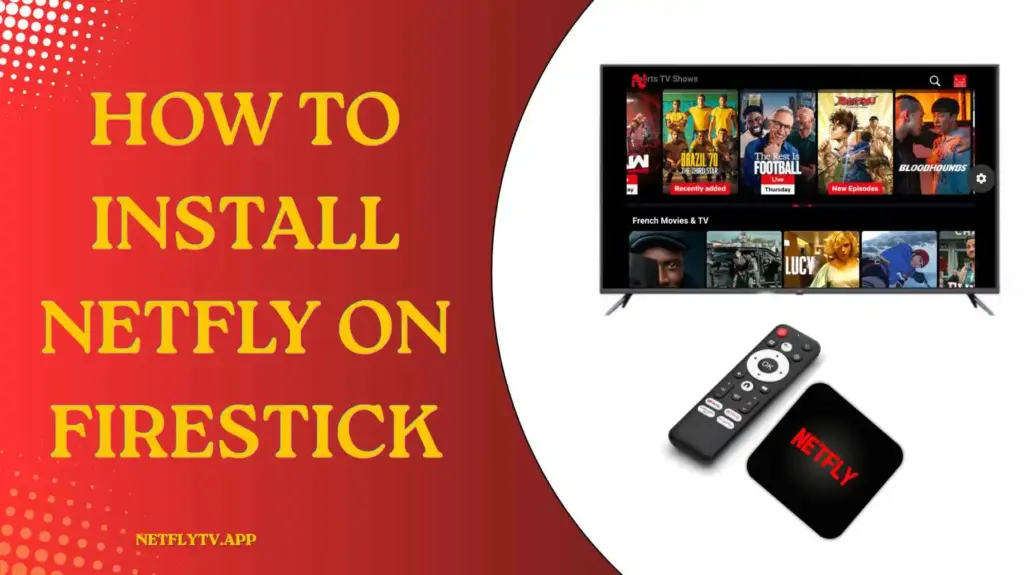
How to Install Netfly on Firestick?
Want to enjoy your favorite movies, web series, live TV channels, and sports on a bigger screen? Installing Netfly on Firestick is a great way to transform your television into a complete entertainment hub. The app is designed to provide a smooth streaming experience and works well on Fire TV devices.
Since Netfly is not available directly from the Amazon App Store, you need to install it manually using a downloader app. The process is simple and takes only a few minutes. Follow the step-by-step guide below to install Netfly on your Firestick successfully.
What is Netfly For Firestick?
Netfly is a streaming app that allows users to enjoy a wide variety of entertainment content. The app is specially designed for people who loves watching movies, comedy shows, web series, documentaries, sports, anime, and live TV channels.
Unlike mobile viewing, Firestick allows users to experience content on a much bigger screen with better sound and visual quality. Netfly is optimized for remote control navigation, making it easy to browse categories and find content quickly. With its simple design and smooth performance, the app provides a convenient way to enjoy endless entertainment from the comfort of your home.
Details about Netfly for FireStick
Prerequisites
Before installing Netfly on Firestick, make sure you have:
- A stable internet connection
- An Amazon Firestick device
- A Downloader app installed on Firestick
- Permission to install apps from unknown sources
Steps to Install Netfly on Firestick
Unlike regular apps available in the App Store, Netfly requires manual installation on FireStick. Don’t worry though, as the process is beginner-friendly and can be completed in just a few steps.
Step 1: Search for the Downloader app through your device’s app store. Select the app from the results page and install it before moving forward.
Step 2: Go to your Fire TV Stick Settings and access the Security settings. Locate the option called “Install Unknown Apps” and turn it on.
Step 3: Once the Downloader app is installed, open it and complete the initial setup process. If permission requests appear on the screen, approve them to continue.
Step 4: Using the Downloader app, enter the code 4511160 and tap the Go button beside it. The Netfly installation file will start downloading shortly after.
Step 5: When the download is complete, you have two installation options. You can either access the APK file through File Explorer or simply press Open and then Install inside the Downloader app.
Benefits of Using Netfly on Firestick
Enjoy a True Big-Screen Experience
Watching content on a television feels completely different from watching on a smartphone. Netfly on Firestick allows users to enjoy movies, web series, sports, and TV shows on a larger display with better visuals. The bigger screen makes every scene more engaging and creates a theater-like experience right in your living room.
Smooth and Responsive Streaming
Firestick is built specifically for entertainment, which helps Netfly run smoothly without unnecessary lag. Users can switch between categories, browse content, and stream videos with ease. The optimized performance provides a more enjoyable viewing experience and helps reduce interruptions while watching favorite content.
Easy Navigation with Remote Control
Netfly is designed to work comfortably with the Firestick remote. Users can browse categories, search for content, adjust settings, and control playback without touching a smartphone. The simple layout and TV-friendly interface make navigation easy for both new and experienced users.
Perfect for Family Entertainment
Instead of watching alone on a small screen, Netfly on Firestick allows the whole family to enjoy content together. Whether it is a movie night, sports event, or weekend binge-watching session, everyone can gather around the television and enjoy a shared entertainment experience.
Comfortable Viewing for Long Hours
Watching content on a television is generally more comfortable than holding a mobile device for extended periods. Firestick allows users to relax on a couch or bed while enjoying their favorite entertainment. This makes long movie sessions and binge-watching much more enjoyable and convenient.
Better Visual and Audio Experience
Most televisions offer larger displays and better sound systems compared to mobile devices. When Netfly is used on Firestick, users can enjoy clearer visuals, richer sound, and a more immersive entertainment experience that enhances every movie, series, or live event.
Conclusion
Installing Netfly on Firestick is a quick and simple process that allows you to enjoy entertainment on a larger screen. With its easy navigation, extensive content library, and smooth streaming capabilities, Netfly can turn your Firestick into a complete entertainment center. Follow the steps carefully, and you’ll be ready to start streaming your favorite content within minutes.